Goal
To build a generic AI centered design system that can be the single source of truth for the design team
A design system for AI observability and interaction, built from shadcn/ui, expanded with Claude, shipped in Figma.
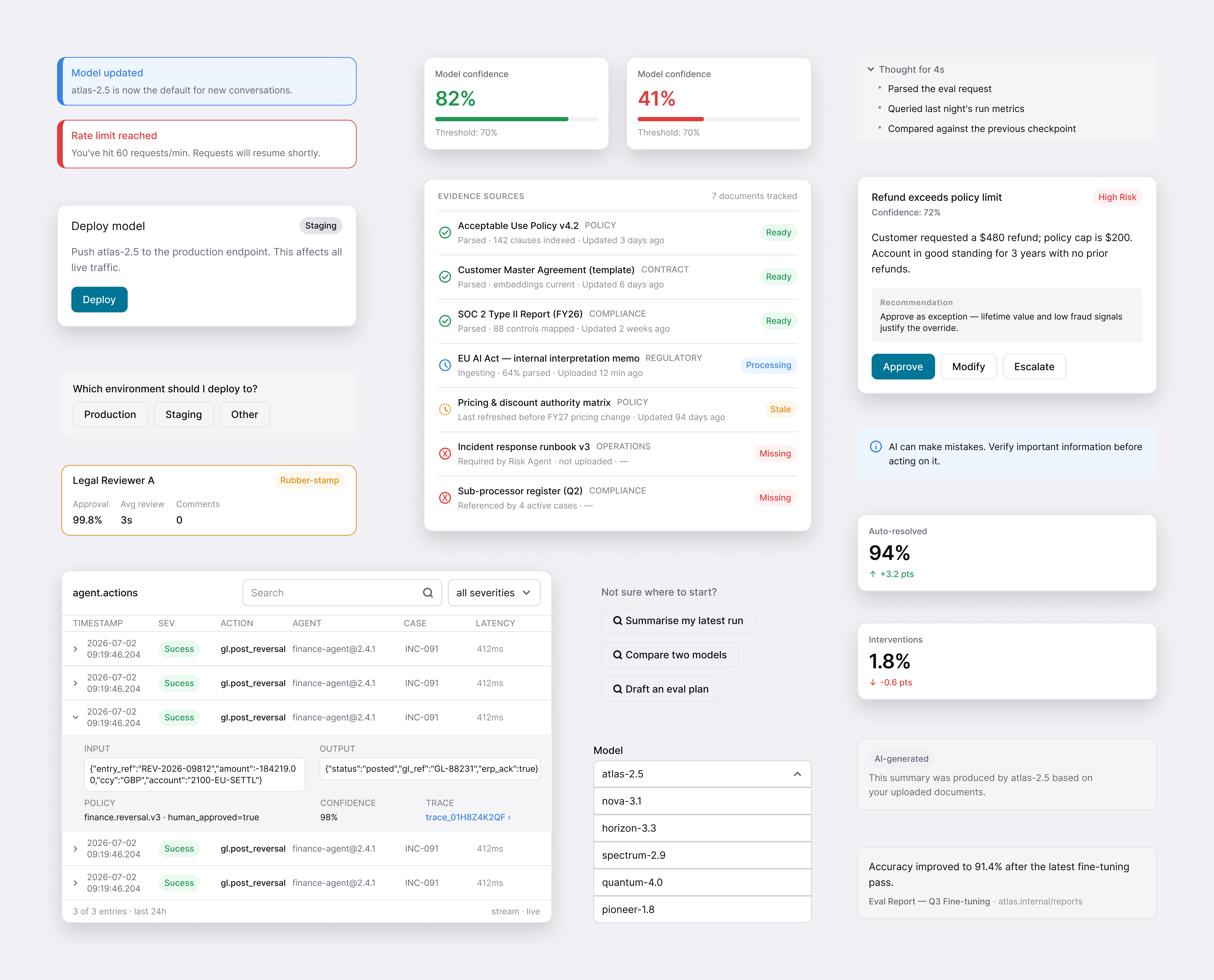
Problem
AI products need patterns and components that standard systems don't contain
Goal
To build a generic AI centered design system that can be the single source of truth for the design team
Laying the foundation
Building on shadcn
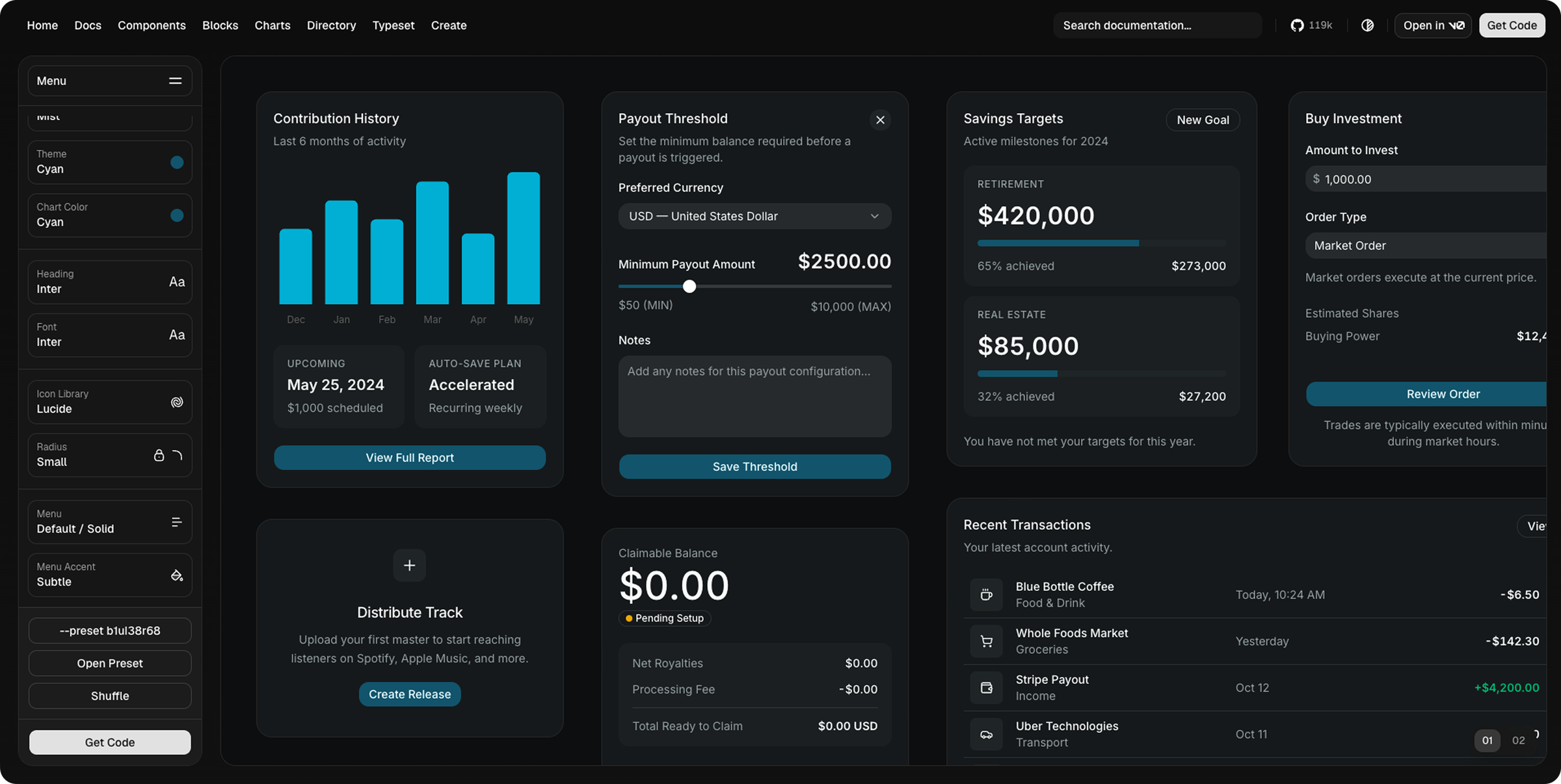
I started by creating a design system base on shadcn/ui. Customising the theme, tokens, and components so everything downstream would stay consistent with a familiar, production-ready foundation.
Build
Claude to Figma
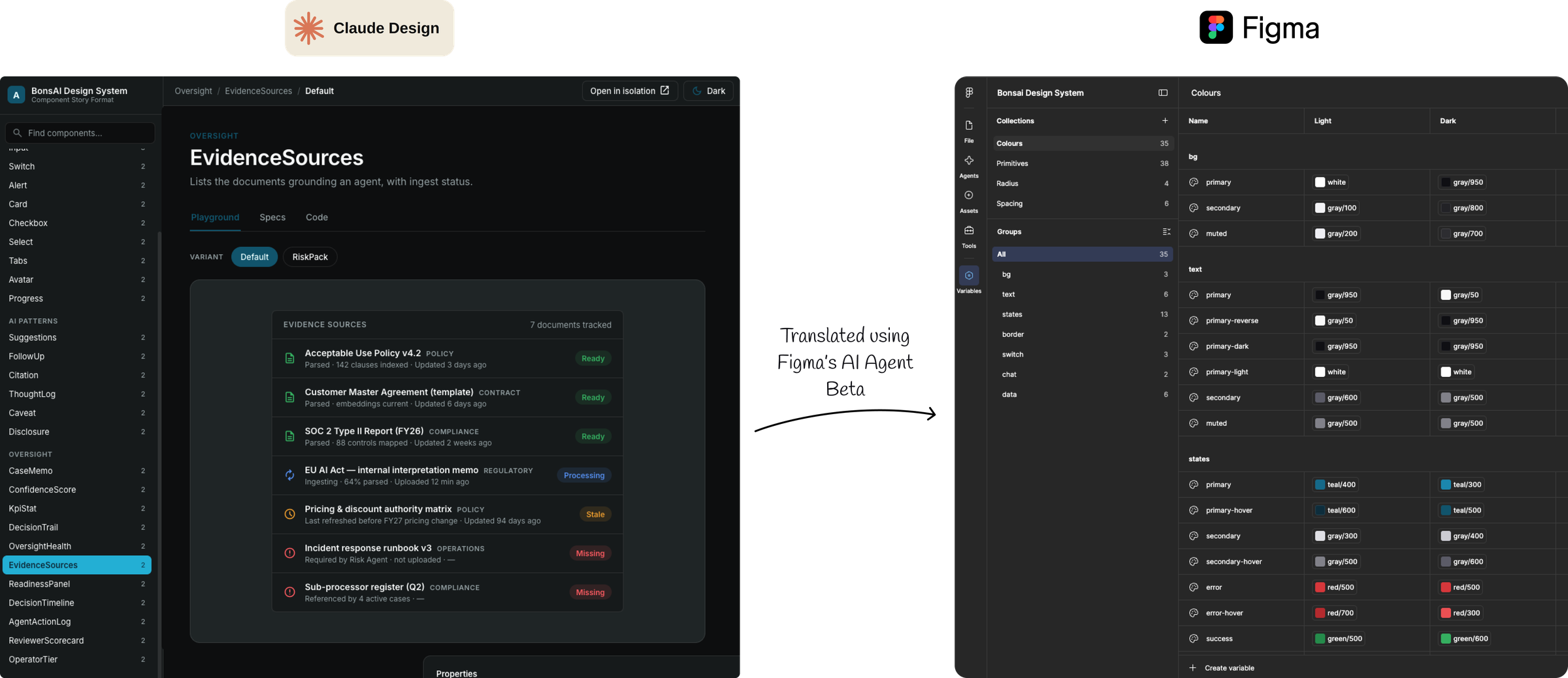
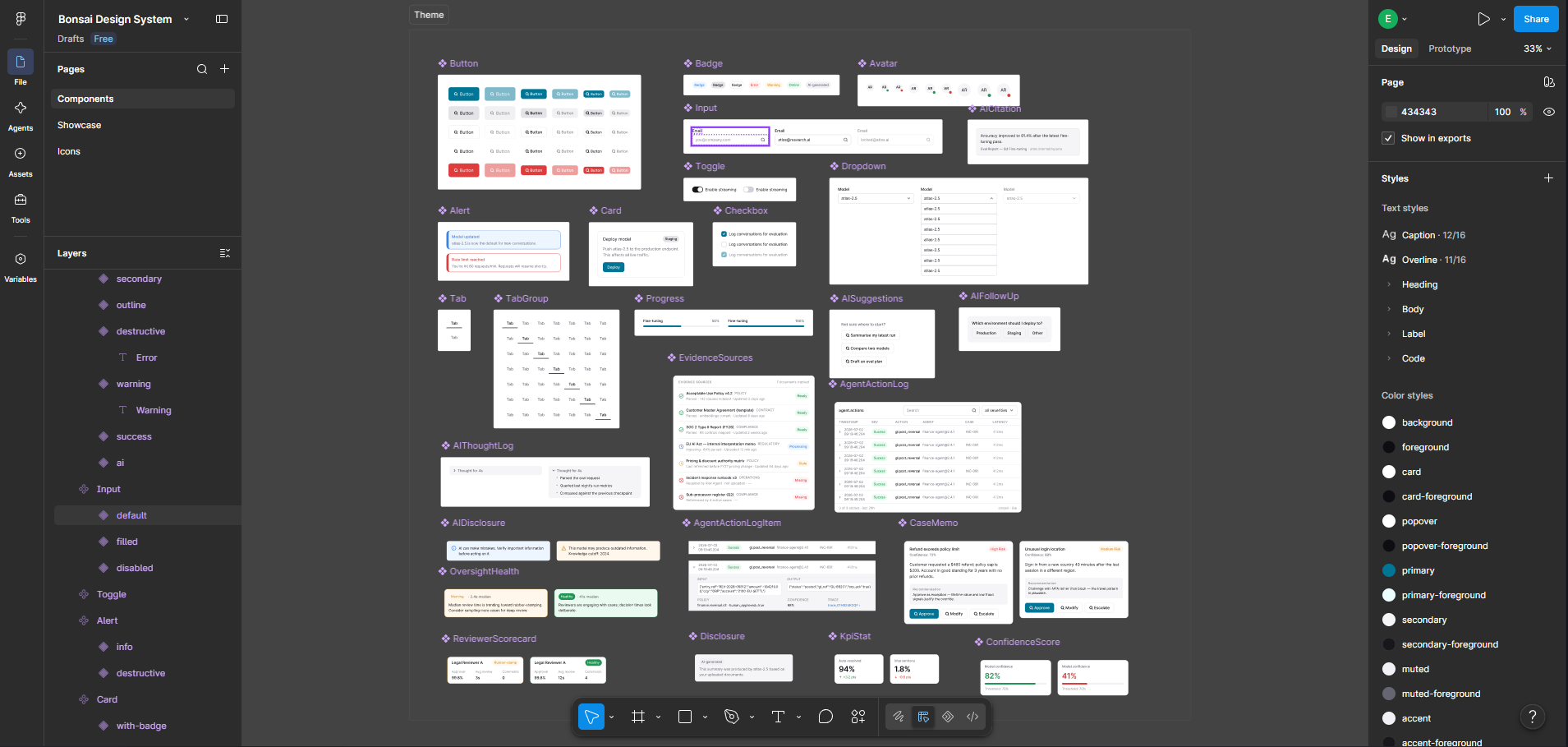
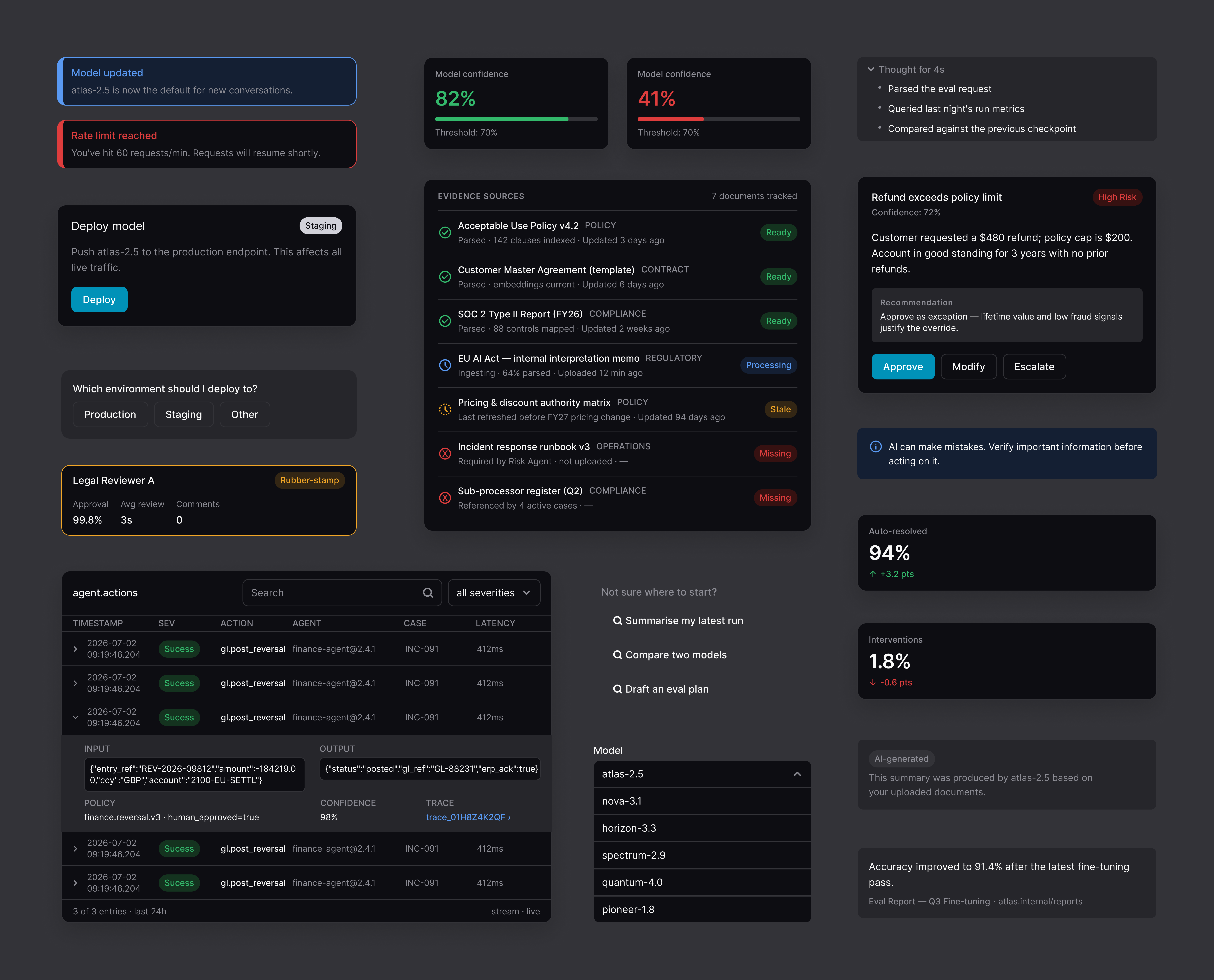
I used the new Figma AI agent tool, currently in beta, to create a full token system. I input shadcn into Claude first to generate new AI-focused components in the same shadcn style, with a style guide then took it to Figma to refine the components, working back and forth between the two.
Deliver
Light & dark modes
The finished component library ships in both light and dark. Use the toggle to preview the mode switch.
Outcome
Extended a familiar component library with AI-specific patterns — faster from concept to dev-ready without losing consistency.
Key takeaway
Proved a practical loop for generating components in Claude, refining tokens in Figma, and keeping both environments in sync.