Goal
Self-Serve our Users for core tasks
Build a self-service platform for core admin tasks without losing any legacy functionality, that also reduced the amount of IT support required.
Unifying 3 legacy systems into a single, intuitive admin platform that cut out daily IT reliance and gave clients control over their projects.
Problem
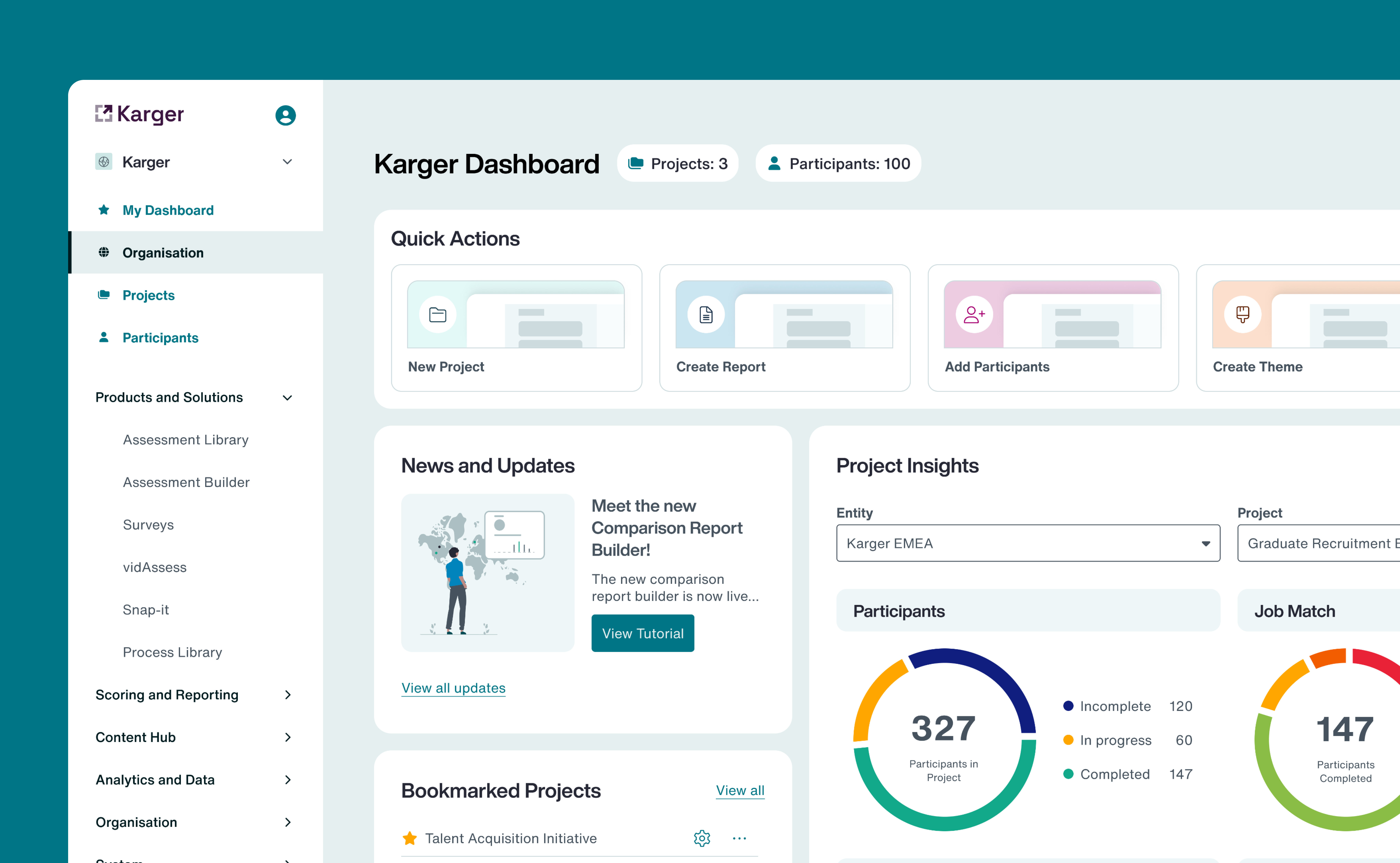
Multiple, Unintuitive Legacy systems
Clients struggled with an unintuitive platform, relying on consultants to fix problems who had to get further IT support to complete everyday tasks. This was due to a Legacy system that had just been maintained and not optimised for admin use.
Goal
Self-Serve our Users for core tasks
Build a self-service platform for core admin tasks without losing any legacy functionality, that also reduced the amount of IT support required.
User
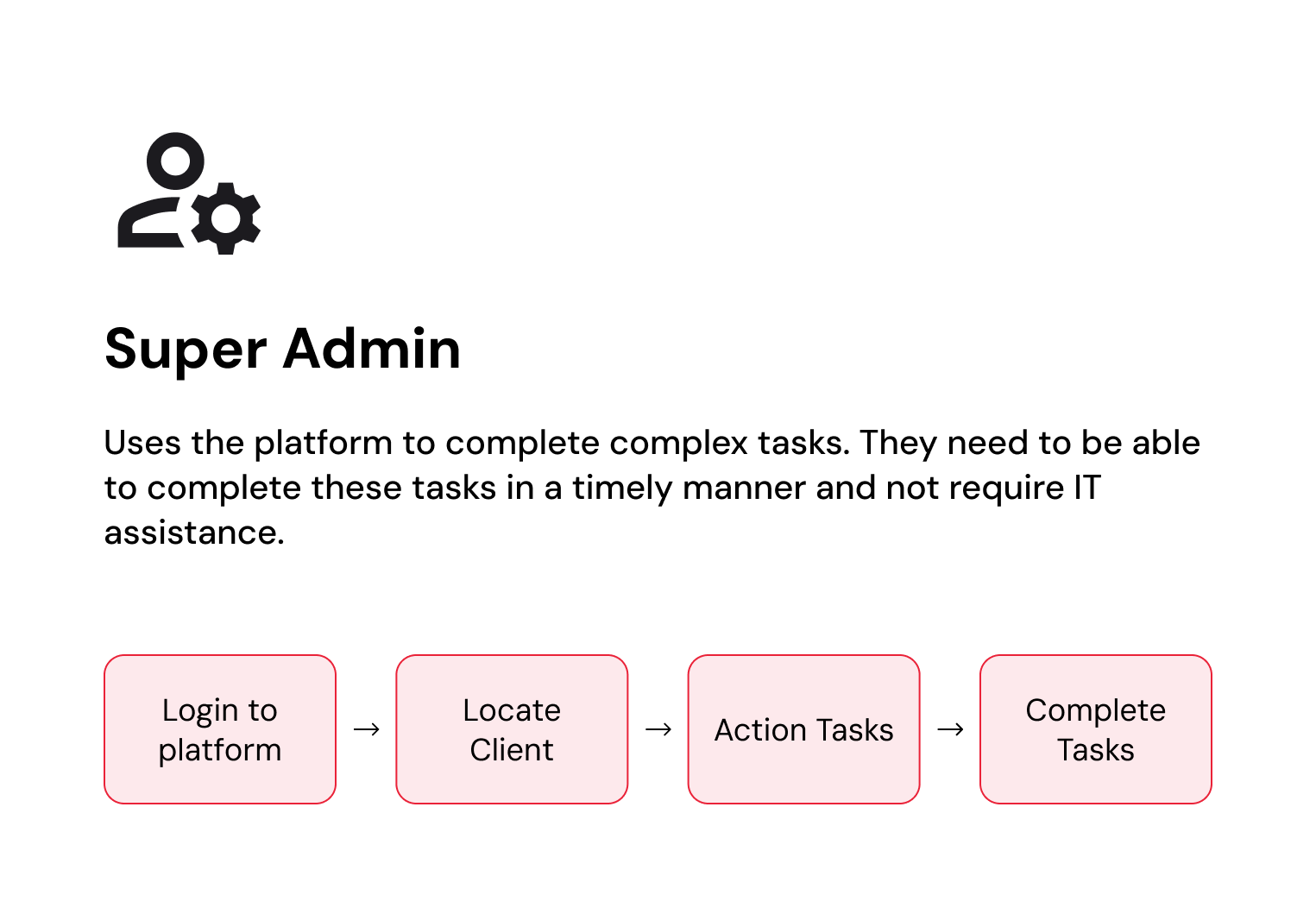
Super Admin
Super admins who were constantly interrupted to fix basic errors or perform routine setups need a streamlined environment where complex system configurations can be executed reliably without requiring IT intervention.
User
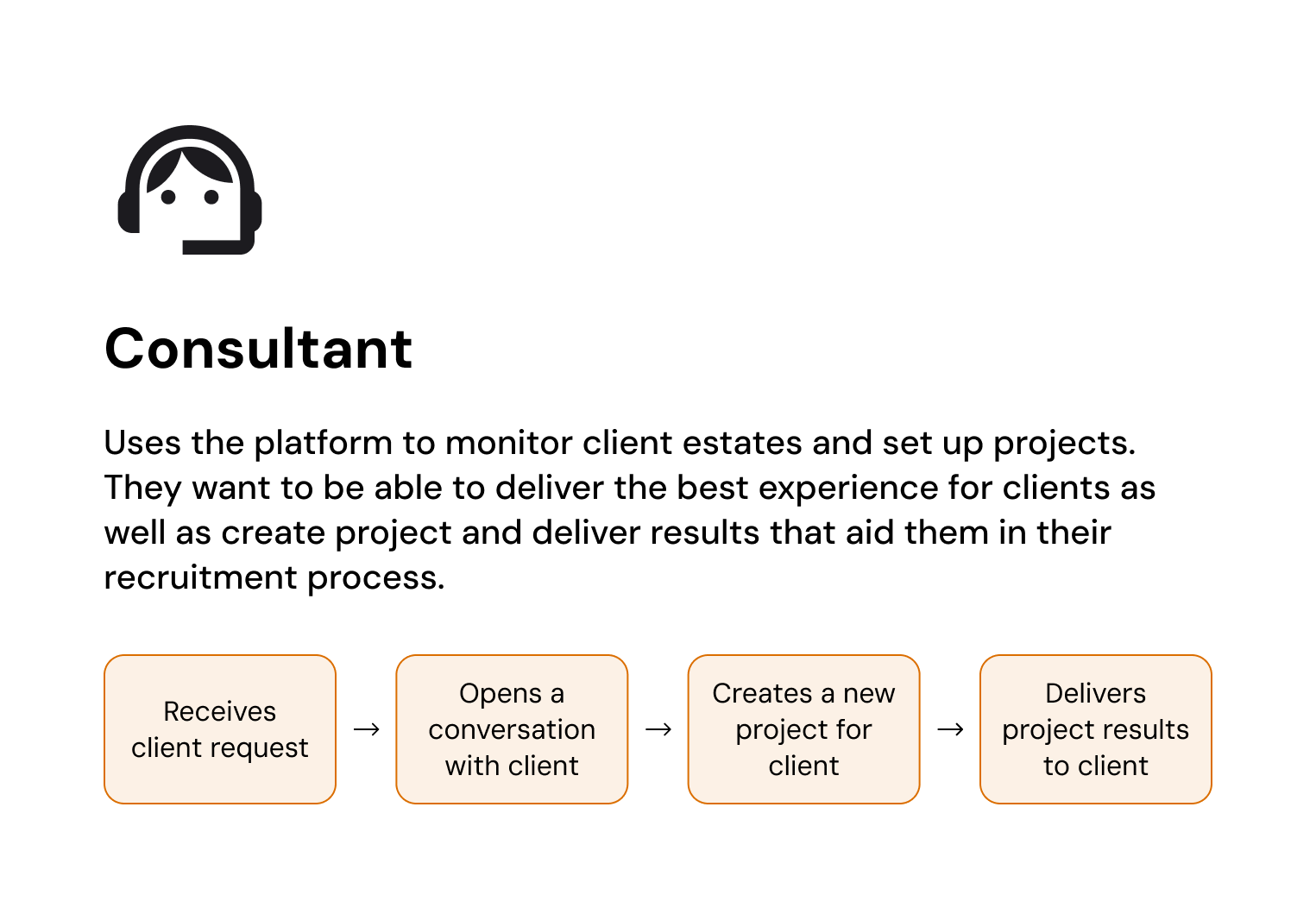
Consultants
Consultants who were acting as manual middle-men between the clients and the system need a project management workspace to monitor client estates, spin up projects, and assist clients without the need for IT support.
User
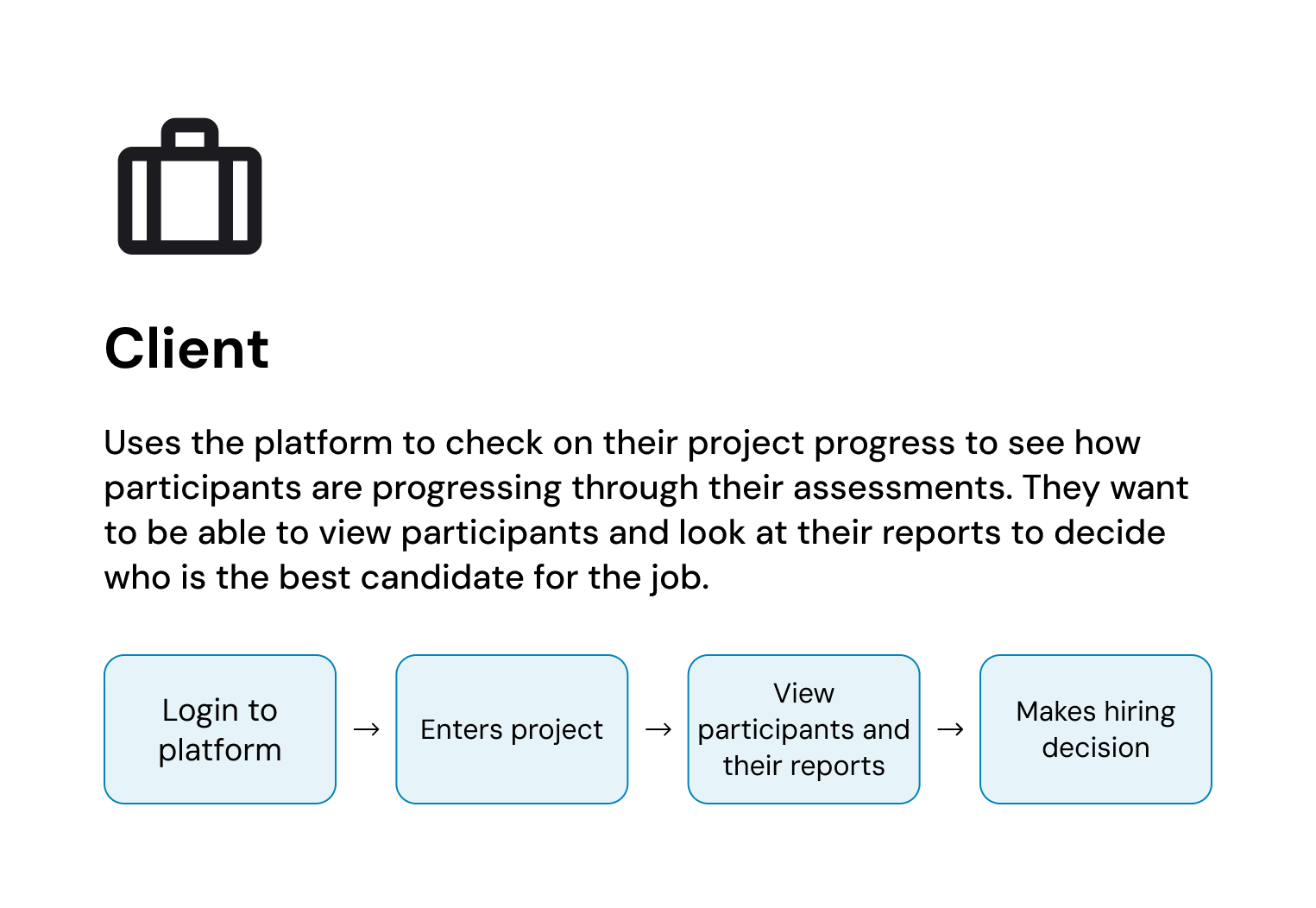
Clients
Clients who were hesitant to access the platform lacked visibility into candidate progress and had to rely on consultants for updates. They need a self-service dashboard to monitor participant progress, review candidate reports, and make confident hiring decisions independently.
Design Pillars
Role based views
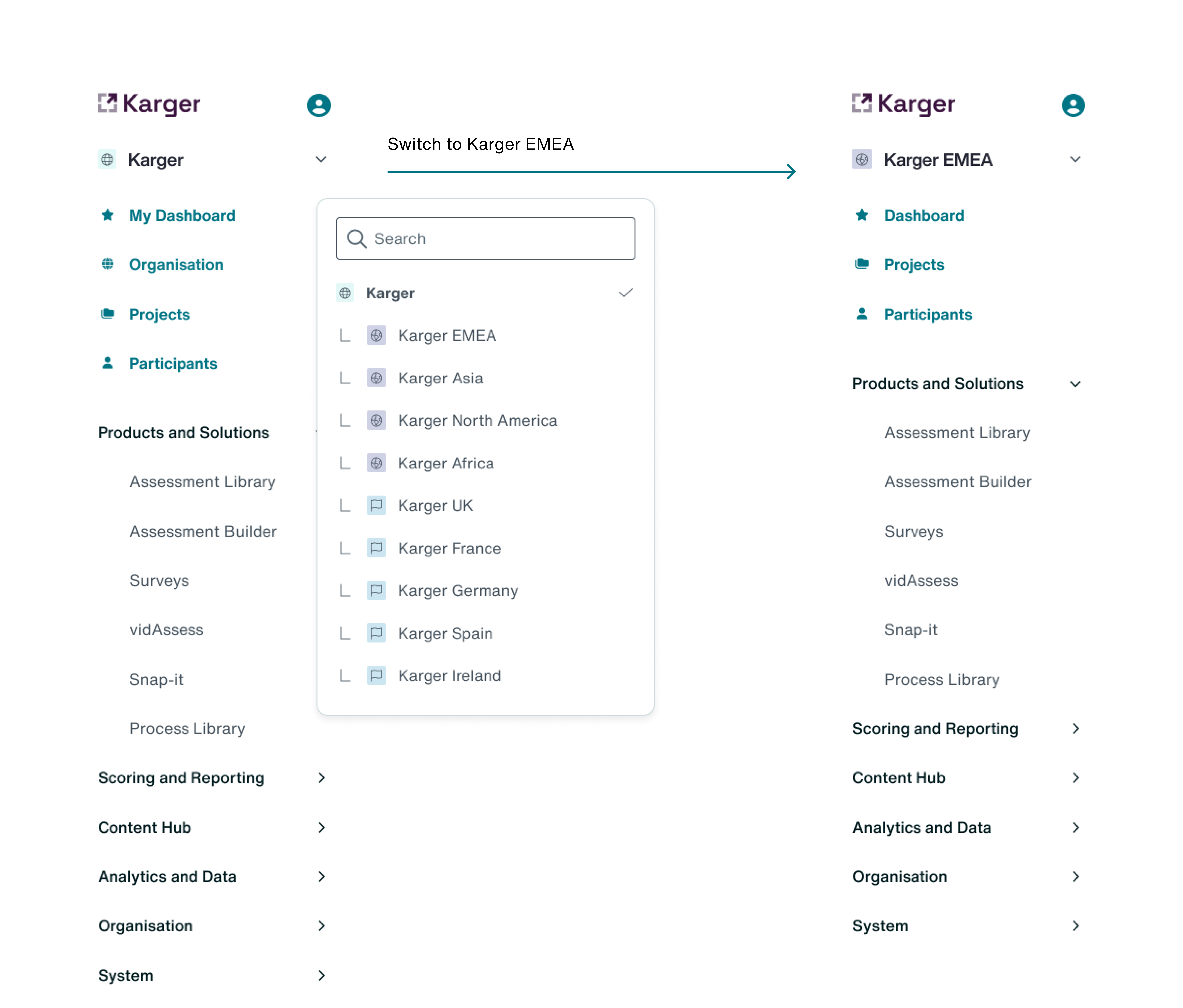
Super admins get access to further system settings and an overview across all clients served. Consultants get configuration tools and overview of client estates. Clients see overviews of projects they have access to.
Design Pillars
Unified Vocabulary
Reconciled inconsistent taxonomy across all three legacy platforms as well as remove the unnecessary technical jargon.
Design Pillars
Intuitive Navigation
Allow wayfinding to be simple and intuitive to remove endless searching for a tool or piece of information.
Solution
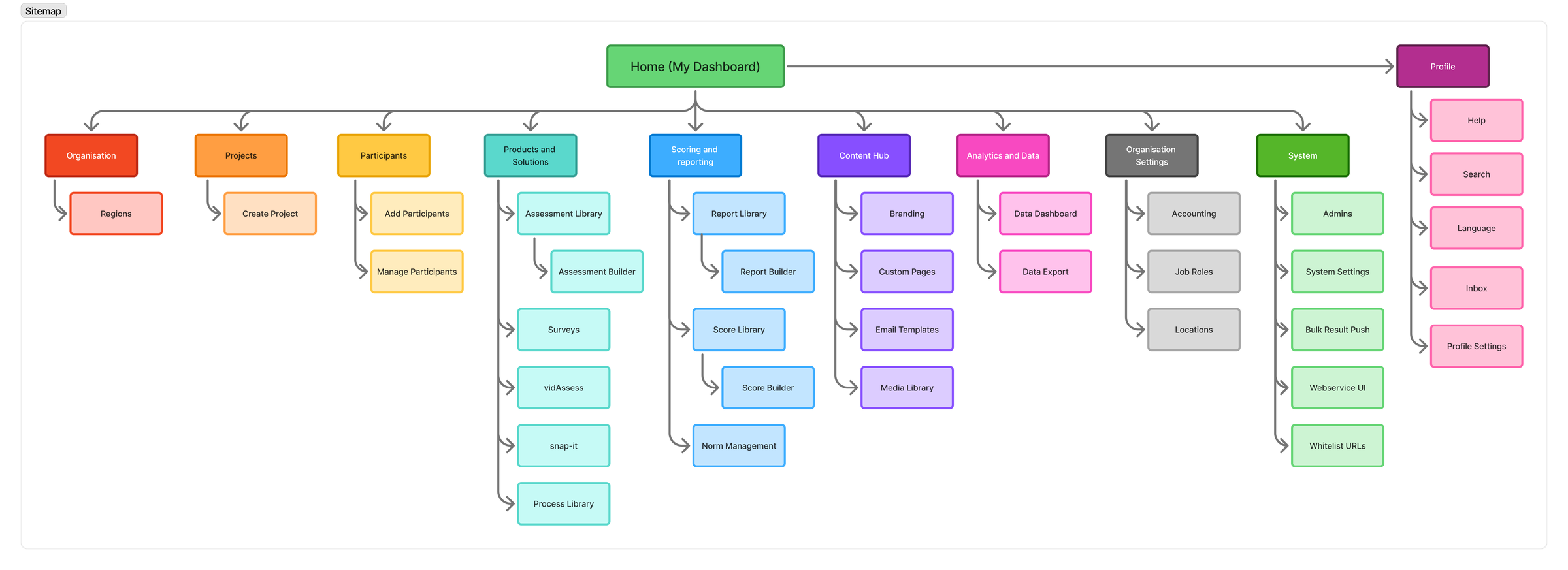
Unified Vocabulary and Intuitive navigation
Merging three platforms meant reconciling three conflicting menu structures and sets of vocabulary. Discovery of how to do this included conducting Tree testing and card sorting activities.
Solution
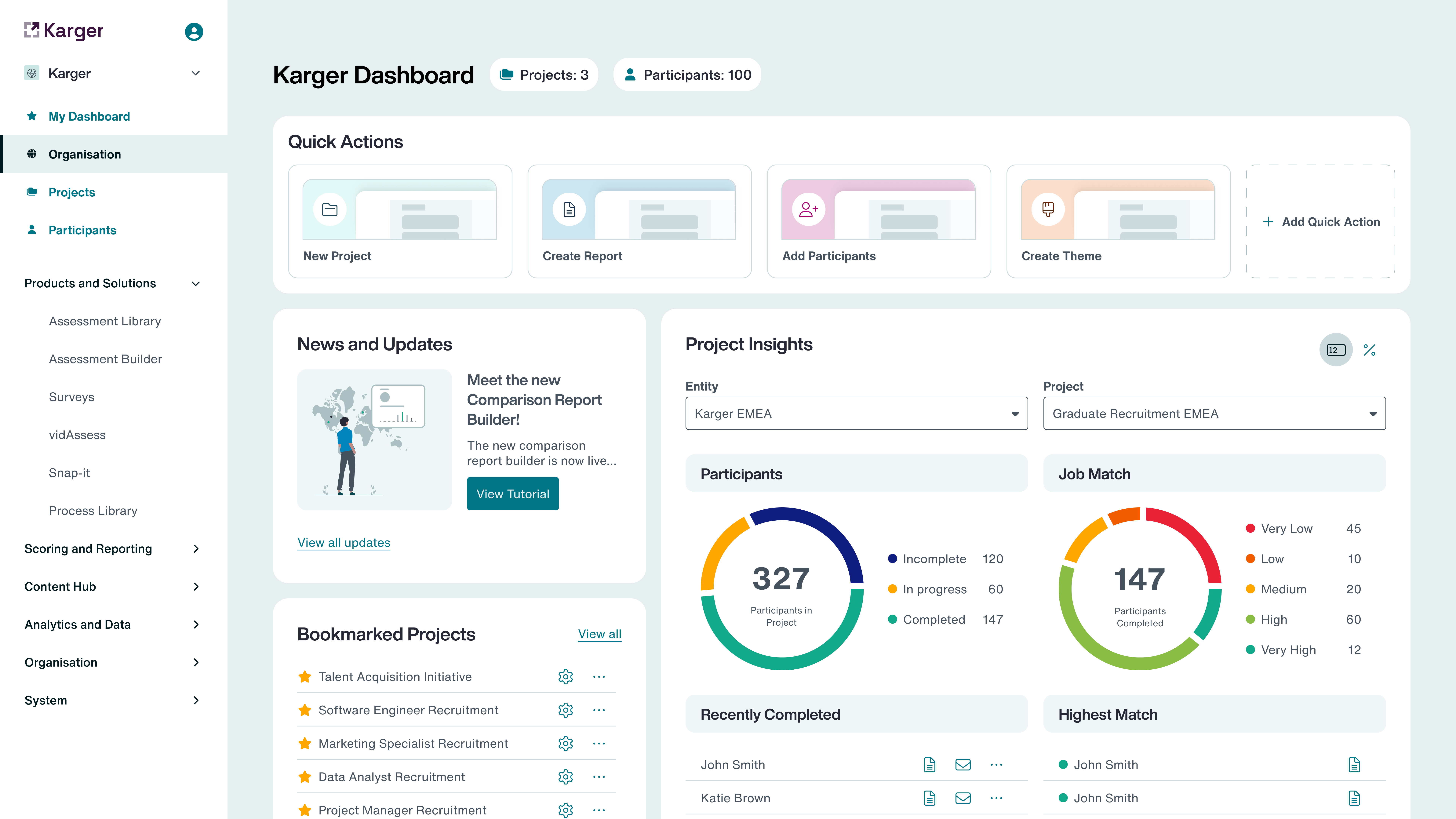
Personalised Dashboards
Core information was scattered across screens so we built a central home dashboard where users can manage projects at a glance, with the ability to delve into project data when needed.
Solution
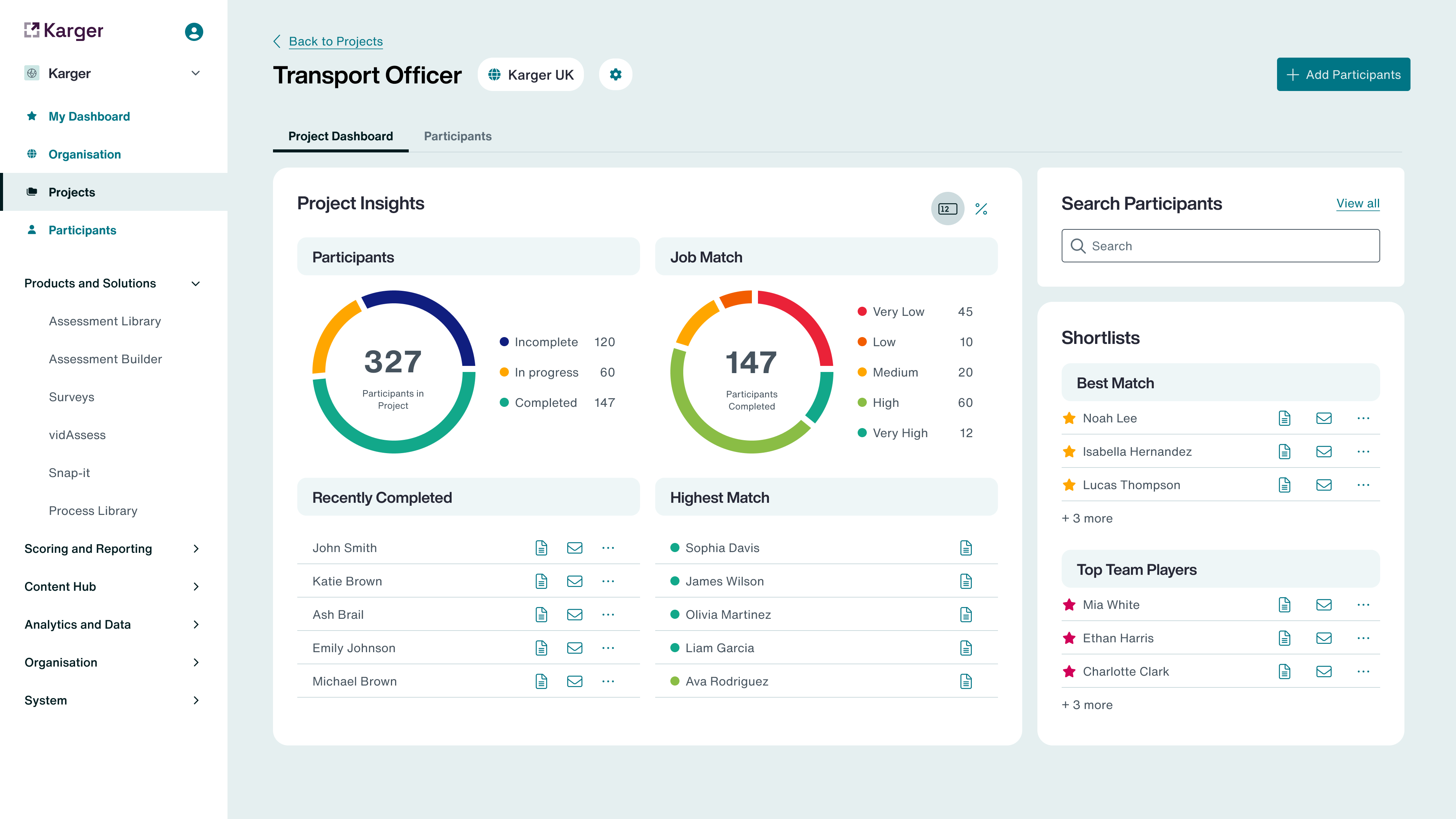
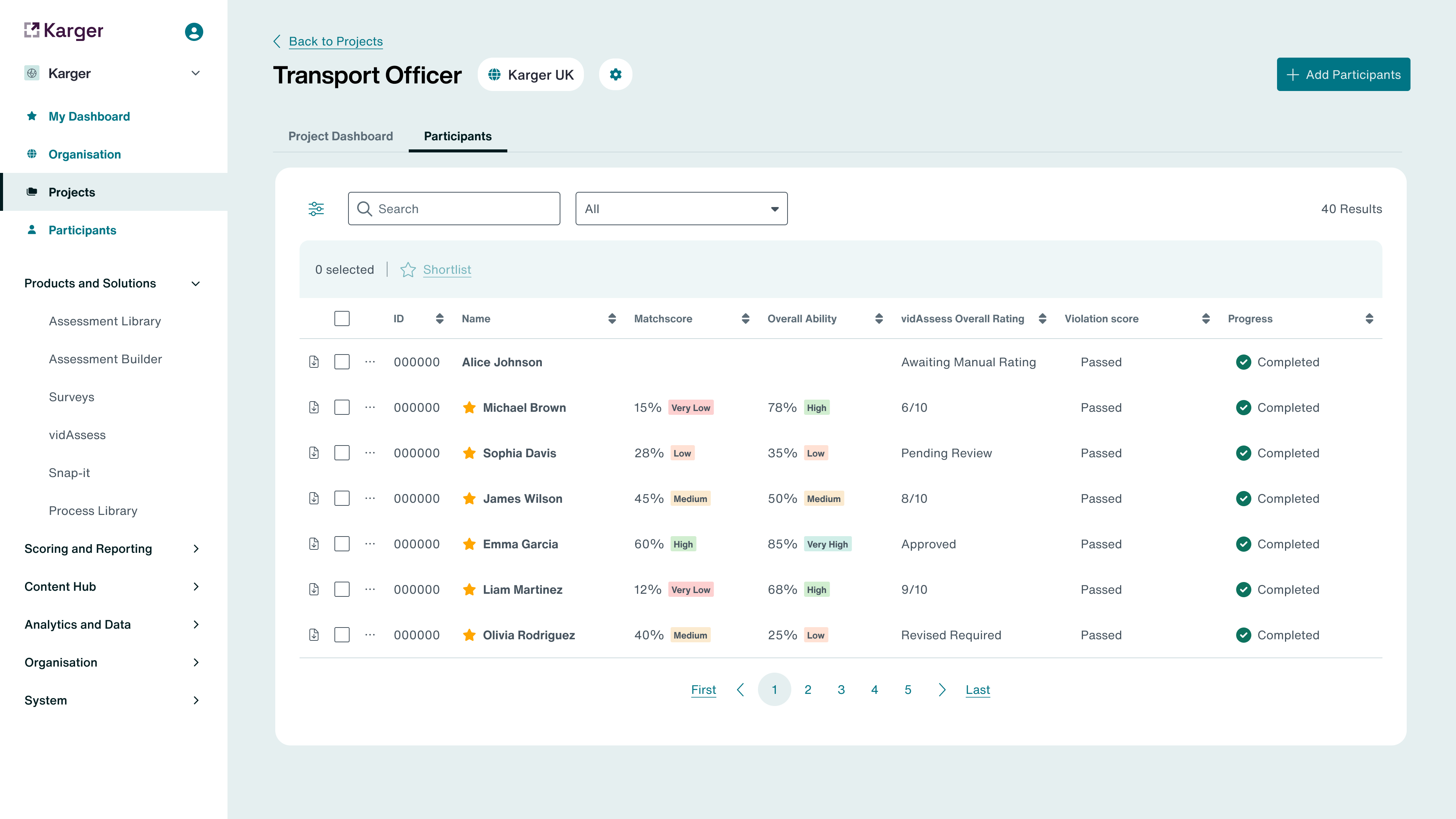
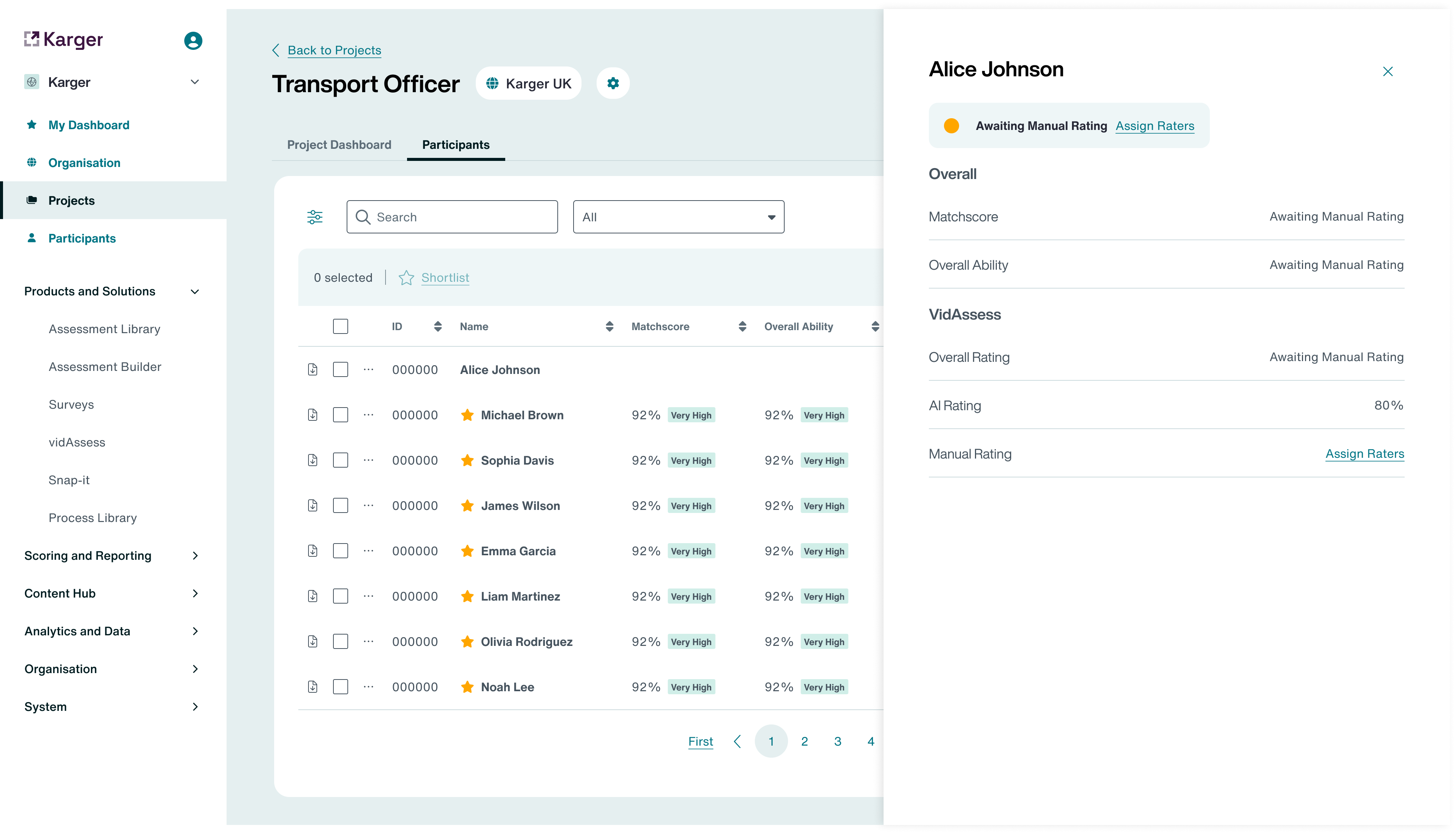
Candidate completion tracking
Determining the right candidates was not clear, so we designed a clear table to display key candidate results that determine whether an applicant moves forward in the process.
Trade Offs
Rather than rebuilding the entire platform, we prioritised the admin workflows that would unlock the most independence — shipping an MVP that proved value before expanding scope.
Results and Key takeaways
For core tasks previously requiring IT support or external help, admins and clients felt confident to complete them independently, saving hours waiting for support. Usability testing showed a clear lift in self-service adoption, admin clarity, and day-to-day efficiency.